
Getting Started
How to accept credit card payments on your phone
10 min read
Quick answer
You can accept credit cards on your phone by using tap to pay built into iPhone or Android with no extra hardware, pairing a small Bluetooth card reader to a free app, keying in a card number by hand, or texting a customer a payment link. Setup usually takes under 15 minutes.
Key takeaways
- Tap to pay on iPhone or Android lets a customer tap their card or phone against your phone, no extra hardware needed.
- A small Bluetooth card reader, roughly $20 to $60, still gives the lowest rates because the chip or tap is read directly.
- Keying in a card number by hand carries the highest fees and the most fraud risk, use it as a backup, not a habit.
- Payment links and text-to-pay invoices work well when you can't be face to face with the customer, like a deposit or a phone order.
- Food trucks, market vendors, contractors, and service pros can all be taking cards on a phone within about 15 minutes of downloading an app.
Can you really accept credit cards with just a phone?
Yes. If you've ever wondered how to accept credit card payments on your phone, the short answer is that your phone can already do most of the job. Modern iPhones and Android phones have a chip that can read a tapped card or a tapped phone directly, no separate reader required. Add a free app from a processor and a basic bank account to deposit into, and you're set up to take a card payment in the same amount of time it takes to ring up a cash sale. This is different from how to accept credit card payments in a fixed storefront with a countertop terminal, phones are built for people who move around: food trucks, contractors on a job site, market vendors, delivery drivers, and anyone who doesn't want to carry a full point-of-sale system.
What are the actual ways to take a card on your phone?
There are four common methods, and most businesses end up using two of them depending on the sale. Understanding the differences up front saves you from picking the wrong one and paying more in fees than you need to.
1. Tap to pay, built into the phone
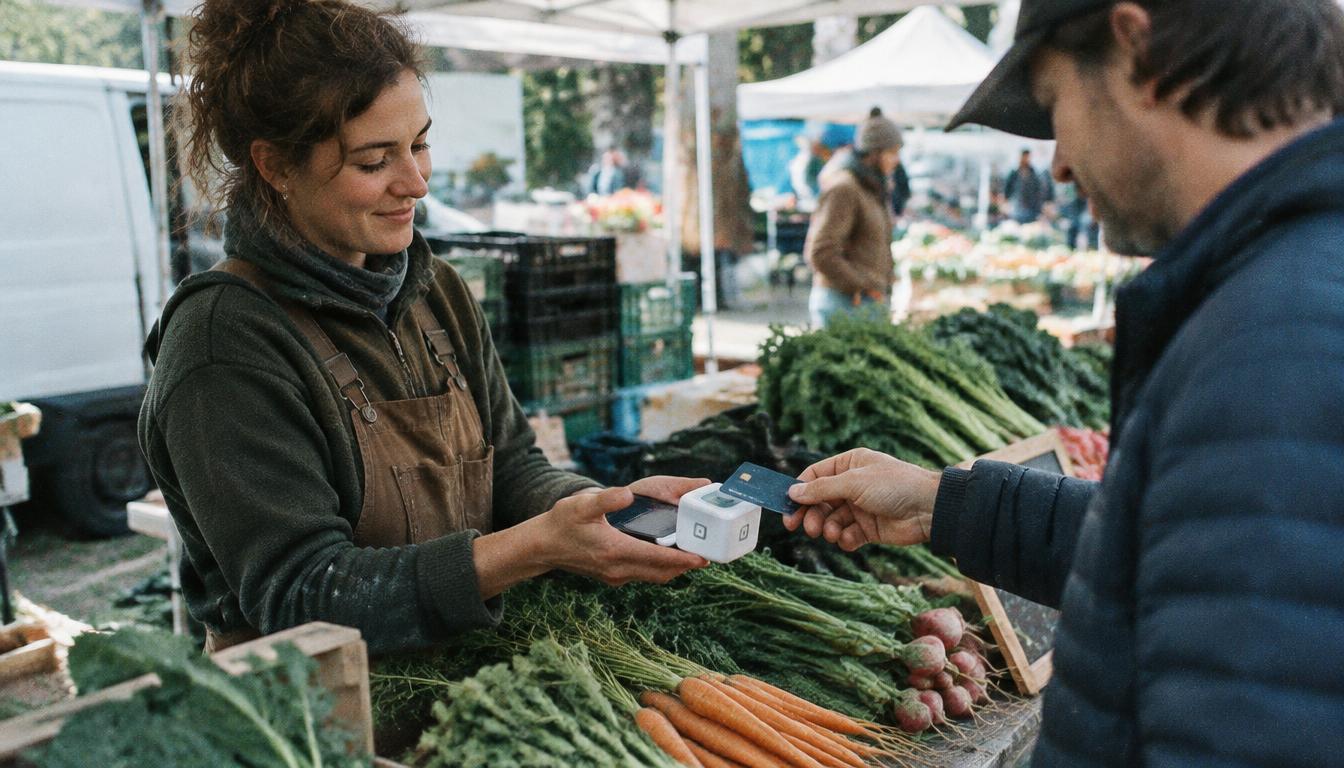
Both Apple and Google now let a phone act as the card reader itself. The customer taps their physical card, or their own phone or watch, against the back of your phone, and the payment processes over the phone's own chip. No dongle, no separate device, nothing to charge overnight. This is the fastest way to get started and it's covered in more detail in our guide to tap to pay and mobile card readers. The tradeoff is that it only supports contactless cards and mobile wallets, a customer with an older card that has to be swiped or inserted will need a different method.
2. A small Bluetooth or plug-in card reader
This is a compact reader, often smaller than a deck of cards, that pairs to your phone over Bluetooth or plugs into the headphone jack or charging port. The customer inserts, swipes, or taps their card into the reader instead of your phone. These readers usually cost between $20 and $60, sometimes free with a new account, and they typically qualify for the lowest processing rate tier because the chip is read directly, which lowers fraud risk for the processor. If you're comparing options for a small operation, see our breakdown of a credit card machine for small business, phone readers are the smallest end of that same lineup.
3. Keying in a card number by hand
Every processing app has a screen where you can type in a card number, expiration date, and security code manually. This works when a customer reads you their card over the phone or when a reader isn't handy. It's convenient, but it comes at a cost: keyed-in transactions carry the highest processing rate and the highest chargeback risk, since there's no physical card or chip to confirm. Use this as a fallback, not your default method, and always get a signature or written confirmation when you can.
4. Payment links and text-to-pay invoices
Instead of taking the card yourself, you send the customer a secure link by text or email and they enter their own card details on their own device. This is useful for deposits, remote sales, or anyone who called in an order. It's a close cousin of online payment processing for small business and ties in well if you also take recurring payments from repeat customers, like a lawn care client paying monthly.
How much does it cost to take cards on your phone?
Phone-based processing usually runs on a flat-rate pricing model, meaning you pay one percentage per transaction rather than the tiered pricing common with older terminal setups. Rates vary by how the card is entered, which is exactly why we recommend defaulting to tap or a reader over typing in numbers by hand.
| Method | Typical fee level | Best for |
|---|---|---|
| Tap to pay on the phone | Lowest tier | Quick, in-person sales |
| Bluetooth card reader | Lowest tier | In-person sales, higher volume |
| Keyed-in card number | Highest tier | Occasional backup only |
| Payment link or text invoice | Mid tier | Deposits, remote or phone orders |
If those percentages feel high once you add them up over a month, it's worth reading our guide on how to lower credit card processing fees and comparing your numbers against credit card processing fees explained. Some businesses also look into zero-fee credit card processing once their volume grows, which shifts most of the cost to the card-paying customer instead of the business.
Step-by-step: setting up your phone to take cards
- 1Choose a processor and download its app, look for one that supports both tap to pay and a Bluetooth reader so you're not locked into one method.
- 2Verify your business, this usually means your business name, tax ID or Social Security number, and a bank account for deposits.
- 3Turn on tap to pay in the app settings if your phone supports it, most phones from the last few years do.
- 4Order a Bluetooth reader if you expect chip cards that aren't contactless, or if you want a backup for when you're low on phone battery.
- 5Run a small test transaction, even $1, to confirm the money lands in your bank account and the receipt looks right.
- 6Set up your deposit schedule so you know when funds actually hit your account, see our guide on how long credit card payments take to deposit.
- 7Train anyone else on your team on the tap-first, keyed-in-last approach to keep fees and fraud risk down.
Is it safe to take card payments on a phone?
Yes, as long as you're using a legitimate processing app rather than a random third-party tool. Reputable apps encrypt card data the moment it's captured, whether that's through the phone's tap-to-pay chip or a paired reader, so the actual card number never sits unprotected on your device. The bigger risk is behavioral: typing in card numbers from memory, storing customer card details in a notes app, or skipping receipts. If you take cards regularly, it's worth a quick read of PCI compliance for small business so you know what's expected of you, and our guide on how to prevent chargebacks if you want to cut down on disputes before they start.
Which option fits your kind of business?
- Food trucks and market vendors: tap to pay plus a Bluetooth reader as backup covers almost every sale, see our notes on payment processing for food trucks.
- Contractors and home service pros: tap to pay for on-site payment when a job wraps up, plus a payment link for deposits before you start, more in payment processing for contractors.
- Salons, spas, and mobile stylists: a phone reader at the chair keeps checkout fast without a bulky terminal, see payment processing for salons and spas.
- Seasonal or pop-up businesses: phone-based processing avoids paying for equipment during the months you're closed, covered in payment processing for seasonal businesses.
- Retail stores wanting a mobile checkout line during busy weekends: pair phones with your main POS system to add checkout lanes without buying more terminals.
Minnesota businesses: taking cards on the go
Minnesota's mix of farmers markets, state fair vendors, lake-area seasonal shops, and mobile contractors makes phone-based card acceptance especially useful here, you're not tied to a countertop or a fixed location to get paid. We help businesses across Minneapolis, St. Paul, and greater Minnesota set up phone-based processing that matches how they actually work, whether that's a single reader for a weekend market booth or a full mobile fleet for a landscaping crew running multiple job sites in a day. We'll also make sure your setup is priced fairly, not padded with fees that make sense for a fixed storefront but not a mobile business.
Ready to start taking cards on your phone the right way? Book a quick call or call 763-280-3155, and we'll get you set up with the right app, the right reader, and pricing that fits how you sell.
The bottom line
Taking credit cards on your phone isn't a workaround anymore, it's a legitimate, secure way to get paid whether you run a full business from your pocket or just need a backup for busy days. Start with tap to pay for speed, add a small reader for reliability, and keep manual card entry as a last resort. Whichever combination you land on, the setup takes minutes and the savings on equipment can be significant compared to a full countertop terminal. If you outgrow a single phone and want to compare full setups, our guide on how much a POS system costs is a good next stop.
Frequently asked questions
Sources and references
Want this checked against your own statement?
Send us a recent processing statement and we'll mark it up line by line, what you're paying now, and what you'd pay with us. No pressure.