
Operations
How to accept recurring payments and subscriptions as a small business
9 min read
Quick answer
To accept recurring payments, you need a payment gateway or subscription billing tool connected to your merchant account that can securely store a customer's card, charge it automatically on a schedule, retry failed charges, and update expired card numbers automatically. Most small businesses set this up through their existing processor rather than a separate system.
Key takeaways
- Recurring billing needs a gateway that stores payment details securely (tokenized), not a spreadsheet of card numbers.
- Automatic card updating prevents subscriptions from silently failing when a customer's card expires or is reissued.
- A clear retry schedule for failed payments recovers a meaningful share of revenue that would otherwise be lost.
- Card network rules require clear disclosure of the billing amount and frequency before a customer signs up.
- ACH is often cheaper than cards for larger recurring payments, like memberships or B2B retainers.
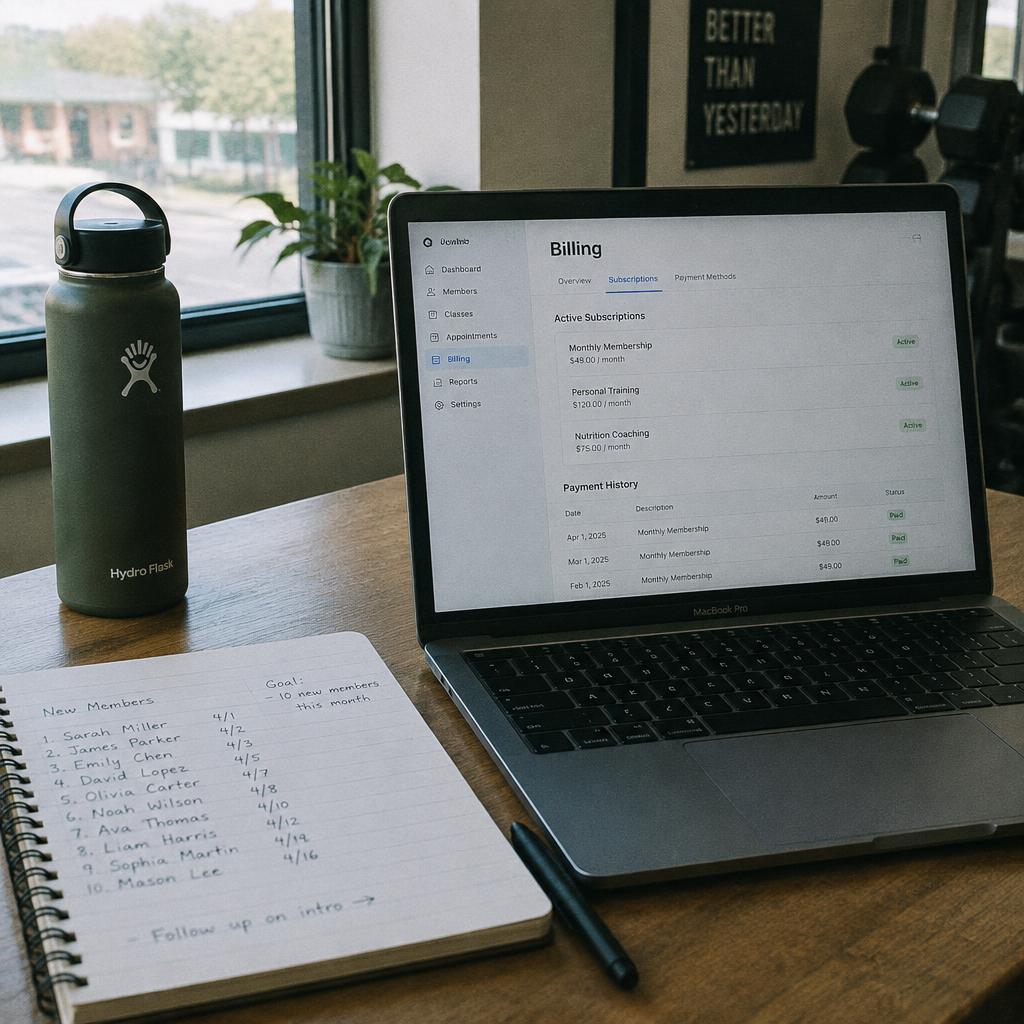
Recurring revenue is the closest thing to predictable income a small business can build, a gym with monthly memberships, a lawn care company billing seasonal contracts, a box subscription, a software tool, a retainer client. But recurring billing done badly creates its own headaches: cards that quietly expire and stop working, customers disputing a charge they forgot they'd agreed to, and a manual process where somebody has to remember to run cards on the first of every month. This guide covers how to set recurring payments up properly the first time.
If you haven't set up card acceptance at all yet, start with our broader guide on how to accept credit card payments, recurring billing sits on top of that same foundation.
What do you actually need to accept recurring payments?
At minimum, you need three things: a merchant account to process the transactions, a payment gateway or subscription billing platform that can store a customer's payment method securely and trigger charges on a schedule, and a way to manage what happens when a charge fails. Some POS and invoicing platforms bundle all three together; others require connecting a separate billing tool to your existing merchant account.
- Merchant account, the underlying relationship that lets you accept card payments at all.
- Payment gateway with tokenization, stores a secure token representing the card, not the actual card number, so you're never holding sensitive data directly.
- Subscription or billing engine, schedules charges, handles proration for plan changes, and manages retries on failure.
- Customer self-service portal, lets customers update their own card or cancel without calling you, which saves real staff time as your subscriber count grows.
Never store raw card numbers yourself in a spreadsheet or document to run manually, beyond the practical risk, it's a direct PCI compliance violation. Our PCI compliance for small business guide covers what's required and why tokenization exists in the first place.
How does automatic card updating work?
This is the single most important feature to confirm before choosing a recurring billing setup, and one of the most overlooked. Cards expire, get lost or stolen and get reissued, or get upgraded by the bank, and without account updater technology, every one of those events silently breaks a recurring charge. The customer often doesn't even notice until they get a service suspension notice.
Visa and Mastercard both run account updater services that many gateways plug into automatically: when a cardholder's bank issues a new card number for an existing account, the updated number flows through to your stored token without the customer lifting a finger. Ask directly: does this happen automatically, or would we need to email every customer whose card is about to expire? The answer changes how much manual cleanup your team does every month.
| Event | Without account updater | With account updater |
|---|---|---|
| Card expires normally | Charge fails, customer may not notice until suspended | New expiration date updates automatically |
| Card reissued after fraud | Charge fails immediately | Often updates within days |
| Customer upgrades card tier | Old card fails silently | Updates automatically in most cases |
What happens when a recurring payment fails?
Failed payments are normal, insufficient funds, an expired card that wasn't caught by an updater, a bank flagging the charge as suspicious. What matters is having a retry strategy instead of losing the customer on the first failed attempt. Most billing platforms let you configure a retry schedule, such as trying again after one day, then three days, then a week, before finally pausing or canceling the subscription.
- Set at least two or three retry attempts spaced a few days apart before giving up.
- Send the customer an automatic email or text when a charge fails, with a link to update their payment method.
- Give a short grace period before suspending service so a one-day banking hiccup doesn't cost you a customer.
- Track your failure and recovery rate monthly, a rising failure rate can point to expired cards piling up.
What disclosure rules apply to recurring billing?
Card network rules and consumer protection law both require clear disclosure before you enroll someone in recurring billing. This isn't optional paperwork, getting it wrong is one of the most common causes of chargebacks and complaints on subscription businesses.
- State the exact amount and billing frequency clearly before the customer confirms sign-up.
- Get explicit opt-in, a pre-checked box for a recurring plan is a common source of disputes and, in some cases, a violation of consumer protection rules.
- Send a confirmation email summarizing the plan, price, and how to cancel.
- Make cancellation at least as easy as sign-up, a growing number of state and federal rules specifically target subscriptions that are easy to start and hard to stop.
- If pricing changes, notify customers in advance, not on the invoice after the fact.
The Federal Trade Commission's rules on negative option and subscription billing are worth reading directly if your business runs any kind of auto-renewing plan.
Should recurring payments run on cards or ACH?
Cards are the default for most consumer subscriptions because customers are used to them and it's a one-tap sign-up. But for larger recurring charges, memberships, B2B retainers, rent, tuition, ACH bank transfers are often meaningfully cheaper, since they skip card network fees entirely and typically cost a small flat fee rather than a percentage.
| Card | ACH | |
|---|---|---|
| Typical cost | 2.2%–3.5% of the amount | Often a flat fee under $1, or well under 1% |
| Customer familiarity | Very high | Growing, but less universal |
| Best fit | Smaller recurring amounts, consumer subscriptions | Larger recurring amounts, B2B, memberships |
| Settlement speed | Typically next business day | Can take a few business days |
Our ACH payments for small business guide covers how to set that up if larger recurring amounts make up a meaningful share of your revenue. Many businesses simply offer both and let the customer choose.
Who uses recurring billing besides subscription software companies?
Recurring billing isn't just for streaming services and software. It shows up across ordinary small businesses in ways owners don't always think of as "subscriptions":
- Gyms and studios billing monthly memberships.
- Lawn care, pest control and pool service running seasonal maintenance contracts, see our payment processing for seasonal businesses guide.
- Salons and spas offering membership packages, covered in payment processing for salons and spas.
- Nonprofits and churches running recurring tithing and monthly giving, covered in our nonprofit and church payments guide.
- Consultants and agencies billing monthly retainers.
What does this look like for Minnesota businesses?
Recurring billing setups are the same everywhere technically, but a lot of the Minnesota businesses we work with, gyms in Minneapolis, lawn and snow-removal contractors around St. Paul, and studios across Minnesota, run genuinely seasonal patterns layered on top of recurring billing, like a landscaping contract that pauses over winter and resumes in spring. Getting the pause-and-resume logic right in your billing platform, rather than canceling and re-enrolling customers every year, keeps your subscriber history and card-on-file intact.
If you're setting up recurring billing for the first time or your current system is losing customers to failed payments, book a free consultation or call 763-280-3155 and we'll walk through the setup with you.
A simple checklist before you launch recurring billing
- 1Confirm your gateway supports tokenization and automatic account updating.
- 2Set a retry schedule of two to three attempts for failed payments.
- 3Write clear, upfront disclosure language for price, frequency, and cancellation.
- 4Decide whether to offer ACH alongside cards for larger amounts.
- 5Set up automatic failed-payment emails so customers can self-serve a fix.
- 6Test the full cycle yourself with a real card before rolling it out to customers.
Frequently asked questions
Sources and references
Want this checked against your own statement?
Send us a recent processing statement and we'll mark it up line by line, what you're paying now, and what you'd pay with us. No pressure.