
Hardware
Best POS system for small business: how to choose
9 min read
Quick answer
The best POS system for a small business is the one that matches how you sell. Counter-service retail needs a fast tablet register; restaurants need table management and tip handling; mobile businesses need a handheld reader. Expect $0-$800 for hardware and $0-$100 a month in software, and never sign a multi-year hardware lease.
Key takeaways
- Match the system to your business type before you compare prices.
- Hardware should usually be bought outright, never leased for multiple years.
- Ask whether the POS locks you into one payment processor.
- Test the checkout speed and offline mode before you commit.
- Total cost includes software fees, not just the hardware price tag.
Picking the best POS system for small business use starts with understanding that there is no single best system, there is the best system for how your specific business rings up sales. A busy Minneapolis coffee shop, a St. Paul boutique, and a mobile pet groomer all need very different tools, even though they are all just trying to get paid quickly and accurately.
What does a POS system actually do?
A point-of-sale (POS) system tracks inventory, rings up items, records sales history, and processes payments in one place, instead of treating the register and the card reader as separate tools. Beyond taking payments, a good POS gives you daily sales reports, staff logins, and often basic customer or loyalty tracking.
How is a POS different from a plain credit card machine?
A plain credit card machine only processes payments; a POS system runs your whole checkout, including inventory and sales reporting, with payment processing built in or connected. If all you need is to take a card, a standalone terminal is cheaper and simpler. If you want to track products, staff, and sales trends, a POS earns its keep.
| Standalone terminal | POS system | |
|---|---|---|
| Takes card payments | Yes | Yes |
| Tracks inventory | No | Yes |
| Sales reporting | Basic or none | Detailed, by item and staff |
| Typical monthly software cost | $0-$20 | $0-$100+ |
| Best for | Simple service businesses | Retail, restaurants, multi-staff shops |
Which POS features matter most for your type of business?
The right feature set depends entirely on how you sell, so it helps to think about your business category before you look at any specific brand.
Restaurants and cafes
Look for table and tab management, split checks, tip adjustment, kitchen display or printer routing, and quick-service menu customization. A handheld option for tableside ordering can speed up service during busy weekend rushes.
Retail shops
Prioritize inventory tracking with low-stock alerts, barcode scanning, and the ability to handle variants like size and color. Multi-location reporting matters if you plan to open a second storefront around the Twin Cities down the road.
Salons and appointment-based services
Booking and calendar integration, deposit collection, and tip prompts matter more than inventory depth. Look for a system that lets clients rebook and pay in one screen.
Mobile and field services
A handheld reader that works offline, syncs once you're back online, and doesn't require a bulky terminal is essential for contractors, landscapers, and mobile pet groomers working across Minnesota.
What hardware options are available?
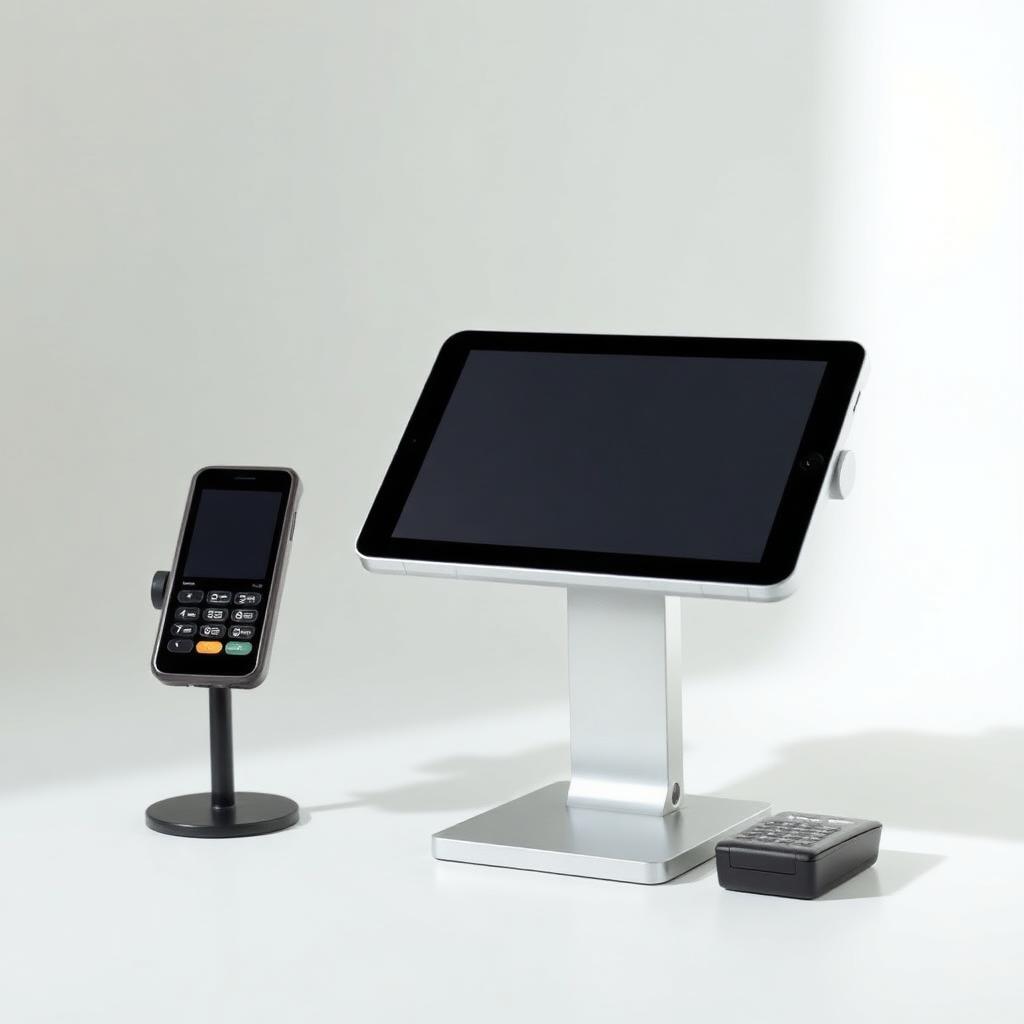
Hardware ranges from a simple phone-attached card reader up to a full countertop terminal with receipt printer, cash drawer, and customer-facing screen. Most small businesses land in the middle: a tablet or dedicated terminal with a card reader, receipt printer, and optional cash drawer.
- Mobile reader: plugs into or pairs with a phone, best for very low volume or mobile work
- Tablet POS: touchscreen tablet plus card reader, good for counter service and retail
- All-in-one terminal: built-in screen, printer, and card reader in one unit, good for higher-volume counters
- Handheld terminal: portable unit for tableside or curbside service
Should you pick a system with integrated or locked-in payments?
Integrated payments mean the POS and the payment processing are bundled from one company; locked-in payments mean you're forced to use that company's processing at their rate with no ability to shop around. Integration is usually convenient, but being locked in with no alternative processor is what costs you money long-term.
Before buying, ask directly: 'Can I use a different processor with this POS if your rates go up?' If the honest answer is no, treat that as a real cost, not just a technical detail, and compare it against options that keep payment processing flexible.
What does a POS system really cost?
Budget for three separate costs: the hardware itself, an ongoing software or subscription fee, and the processing fees on every card sale. Skipping any one of these when comparing options leads to a misleading total.
- Hardware: $0 (basic mobile reader) to $800+ per station for a full terminal setup
- Software subscription: $0 for basic free tiers up to $100+ per month per location for advanced plans
- Processing fees: typically 2.3%-3.5% per transaction depending on card type and entry method
- Add-ons: extra fees for loyalty programs, advanced reporting, or additional staff logins
How much training does a new POS system take?
Most modern POS systems are designed to be learned in under an hour for basic checkout tasks, with a few extra sessions needed for managers to set up inventory, reporting, and staff permissions. Look for a provider that offers free onboarding calls or video walkthroughs, since a system that takes days to learn will slow down your team during the busy weeks it's supposed to help.
Ask whether new staff can be trained on the system without pulling a manager away from the floor. A simple, well-labeled touchscreen layout usually matters more day to day than a long feature list, especially for seasonal or part-time staff.
What contracts and leases should you avoid?
Avoid any multi-year lease on POS hardware, since leased terminals often cost two to three times the outright purchase price by the time the lease ends. Also watch for auto-renewing software contracts and early termination fees buried in the fine print.
- Multi-year equipment leases with high buyout costs at the end
- Contracts that auto-renew without a clear cancellation window
- Early termination fees disguised as 'liquidated damages'
- Software plans that require annual prepayment with no refund option
How do you switch POS systems without losing sales?
Plan a switch during a slower week, export your product catalog and customer data ahead of time, and run the new system alongside the old one for a day or two if possible. Train staff on the new checkout flow before your first live day so a busy Saturday doesn't turn into a bottleneck.
- 1Export inventory, pricing, and customer data from your current system
- 2Set up and test the new POS during closed hours
- 3Train staff with real transactions in a test mode
- 4Run both systems in parallel for a short overlap if your provider allows it
- 5Fully cut over and cancel the old contract only after confirming reports look right
What's the buying checklist before you commit?
Before signing anything, walk through this checklist so you're comparing systems on the things that actually affect your daily operations, not just the marketing page.
- Does it support the specific features my business type needs (tables, inventory, booking, or mobile)?
- Can I buy the hardware outright instead of leasing it?
- Am I free to switch payment processors later if needed?
- What is the true all-in monthly cost at my sales volume?
- Does it work offline if the internet or Wi-Fi drops?
- How fast is customer support, and is it available during my business hours?
- Can I export my data if I ever want to switch?
What add-ons are actually worth paying for?
Not every add-on a POS provider offers is worth the extra monthly fee. Loyalty programs and gift cards tend to pay for themselves quickly for retail and restaurants with repeat customers, while advanced analytics dashboards are often overkill for a single-location shop that just needs basic daily sales totals.
Employee scheduling and time-clock features built into the POS can be genuinely useful if you already track hours manually, since it removes a second piece of software from your workflow. Weigh each add-on against what you're already doing on paper or in a spreadsheet before paying extra for it.
How does this work for businesses in Minnesota?
Small businesses in Minneapolis, St. Paul, and elsewhere in Minnesota have the same POS options as anywhere else, but local support matters more than people expect when a terminal fails on a Friday night. Ask any provider how quickly they can get you a replacement or a technician in the Twin Cities area before you sign.
If you want help comparing POS options against your actual sales volume and business type, you can book a free rate review and get a specific hardware and pricing recommendation instead of guessing from a features chart.
How long does setup and staff training take?
For a small shop or single-location restaurant, expect a couple of days of real work spread across a week: building your item list, setting tax and tip rules, and getting your team comfortable. The hardware itself is usually working within an hour.
The part people underestimate is the menu or product catalogue. If you sell 40 items, you will finish in an afternoon. If you run a full bar with modifiers, sizes and happy-hour pricing, budget a weekend and ask whether your provider will import a spreadsheet for you. Train on a quiet shift rather than a Friday, and keep your old payment method available for the first week as a backup. Our guide to choosing a credit card machine for small business covers what to keep on hand as that fallback.
- Build and check your item list before the hardware arrives, not after.
- Set up separate logins per employee so you can see who rang what and who issued refunds.
- Decide your tip and discount rules up front, then lock down who can change them.
- Practise refunds, voids and reprints before a customer needs one.
- Print or save a one-page cheat sheet and keep it by the register for new hires.
What POS mistakes cost small businesses the most?
The expensive mistakes are almost never about features. They are about contracts, locked hardware and buying for a business you do not have yet.
- Signing a hardware lease. A terminal or register worth a few hundred dollars becomes thousands over a multi-year non-cancellable agreement.
- Buying locked hardware that only works with one payment provider, which means the only way to change processors later is to buy everything again.
- Paying for a full restaurant or enterprise tier when you needed the basic plan plus one add-on.
- Ignoring the payment side of the quote. A cheap monthly software fee attached to tiered processing rates usually costs more than a fair rate with slightly pricier software.
- Skipping the offline mode question, then losing an evening of sales when the internet drops.
- Letting a salesperson set it up and never learning where the reports live.
If you are unsure what your current setup really costs you, our overview of what merchant services include is a good place to start before you shop for software.
Frequently asked questions
Sources and references
Want this checked against your own statement?
Send us a recent processing statement and we'll mark it up line by line, what you're paying now, and what you'd pay with us. No pressure.